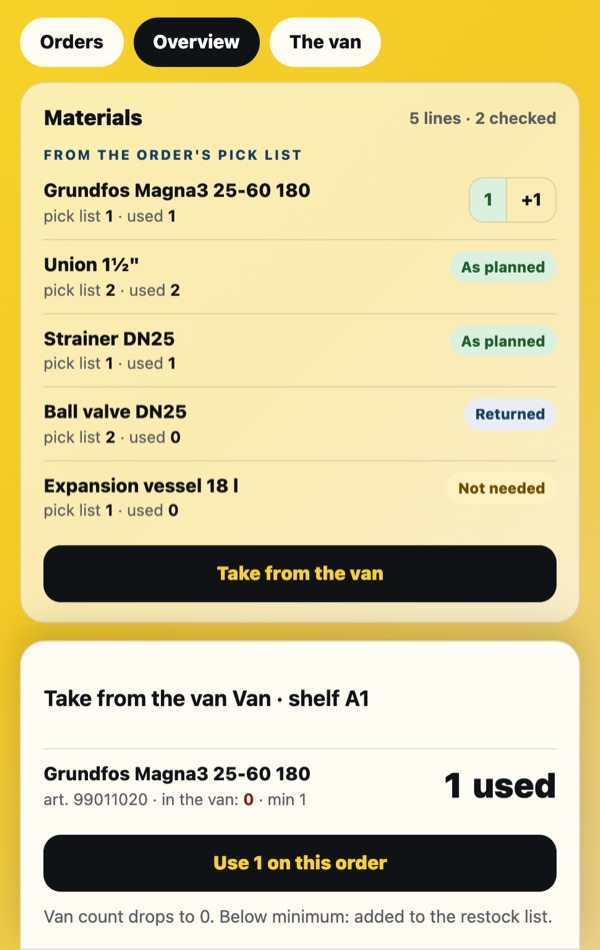
Take from the van
You take a part from the van, put it on the job, and the van count drops with it. The restock list writes itself.
Watch the spotField app
Built by a technician who was tired of carrying four systems and a notebook. In daily use on real jobs since September 2026.
AI structures. The professional on site decides.
Problem
The order lives in the office system, the drawing in an e-mail, the manual on the manufacturer’s site, the hours in a notebook and the van in your head. At the end of the month someone reconstructs it all.
The app is used on real jobs by the technician who built it. Everything on this page is in production; nothing here is a plan.
One job
In the app
The same screens as in the spots. Each one is backed by the catalogue (manufacturer manuals, alarm codes, rules) and by the order from the office.
You take a part from the van, put it on the job, and the van count drops with it. The restock list writes itself.
Watch the spot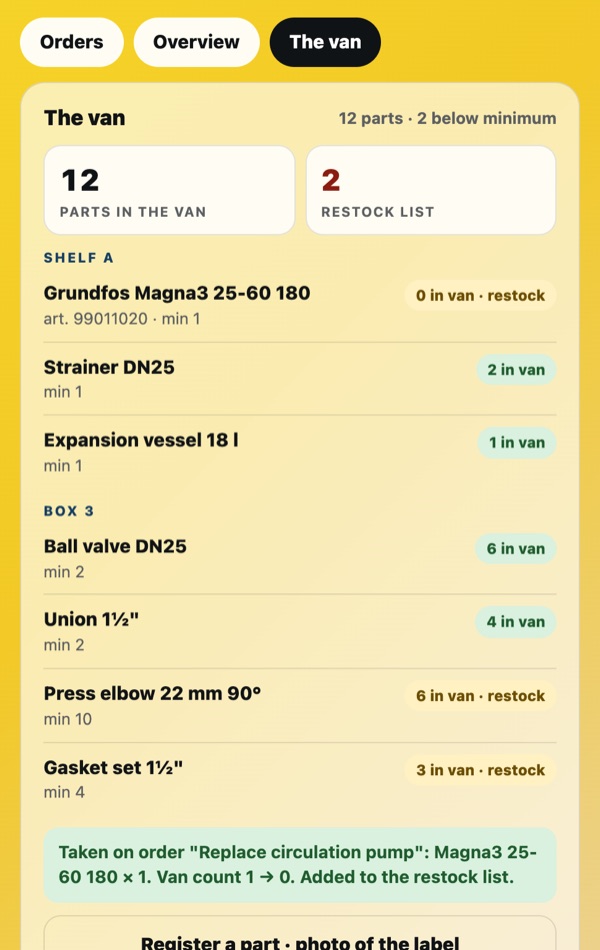
Shelf, box, count and minimum. Two below minimum shows before Friday, not on Friday.
Watch the spot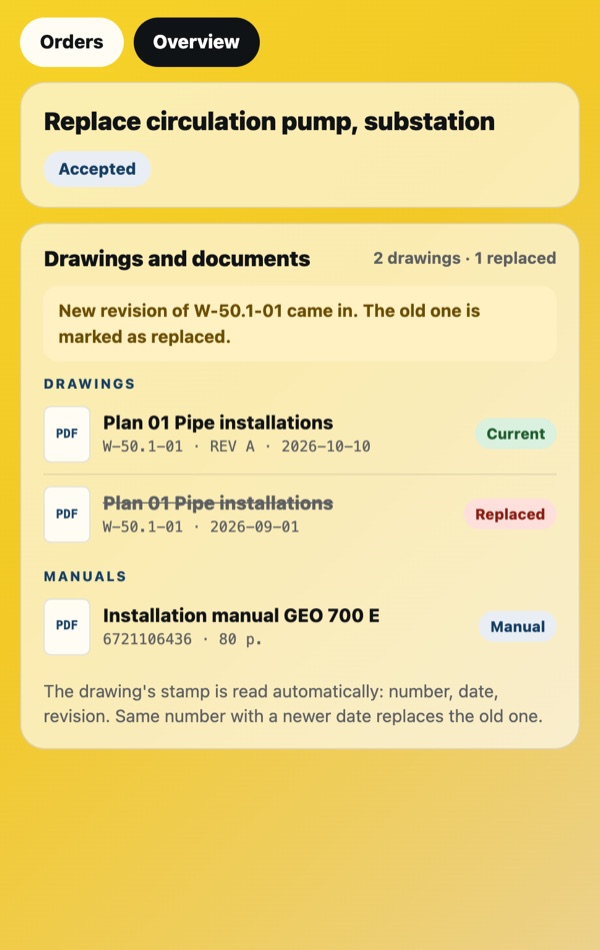
The client’s files come onto the order with revision, so you open the right one at the job site, not the print in the van nobody updated.
Watch the spot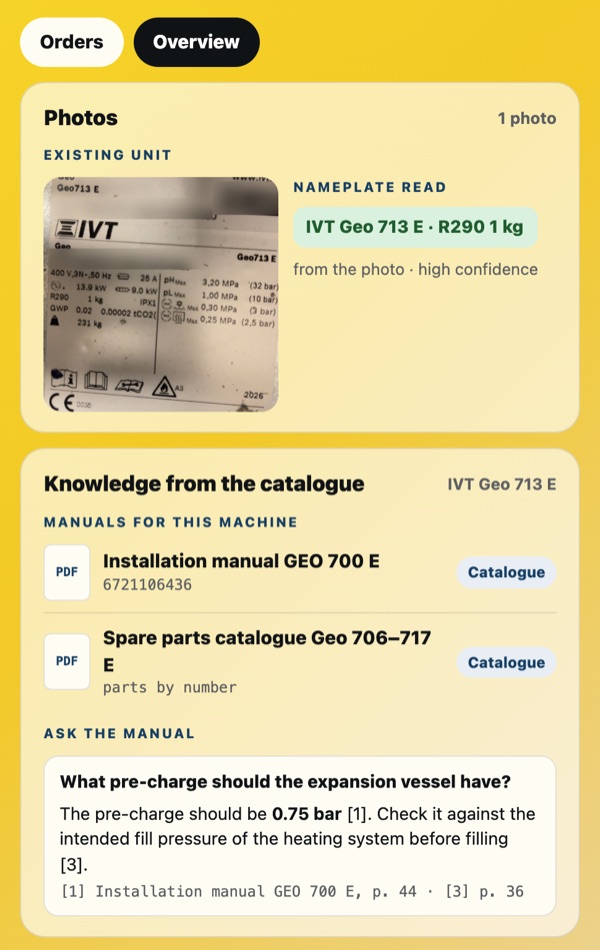
Photograph the nameplate. The catalogue finds the model, its manual and the rules that apply to it.
Watch the spot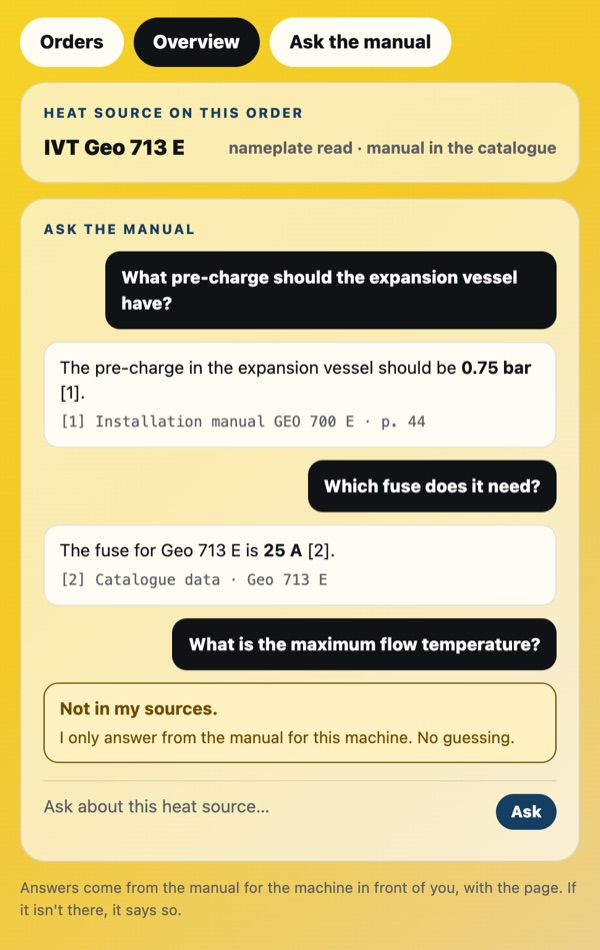
Pre-charge, fuse size, page number. When it is not in the sources, the app says so instead of guessing.
Watch the spot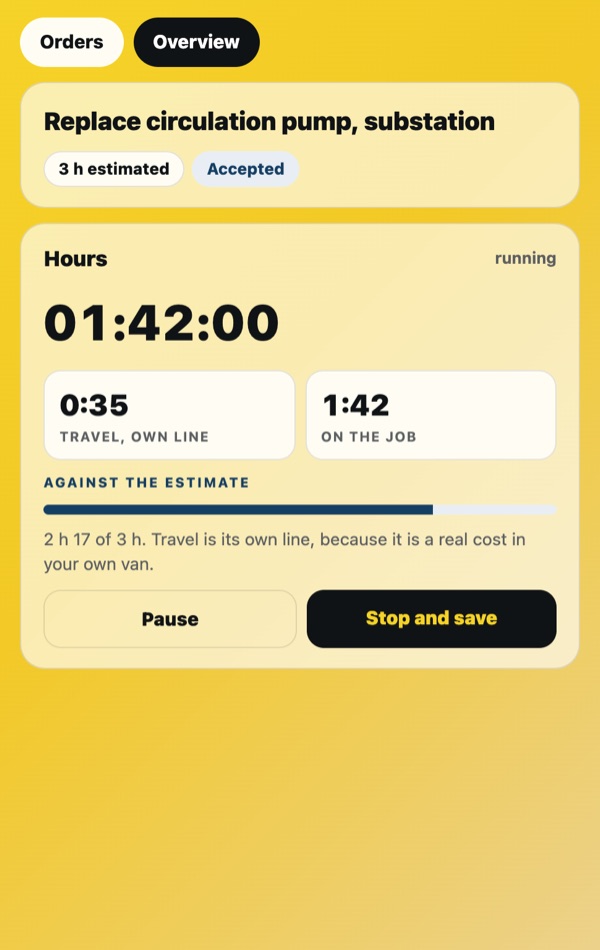
Start the job and the clock starts. Stop and save. Kilometres the same way. Nothing to reconstruct at the end of the month.
Watch the spot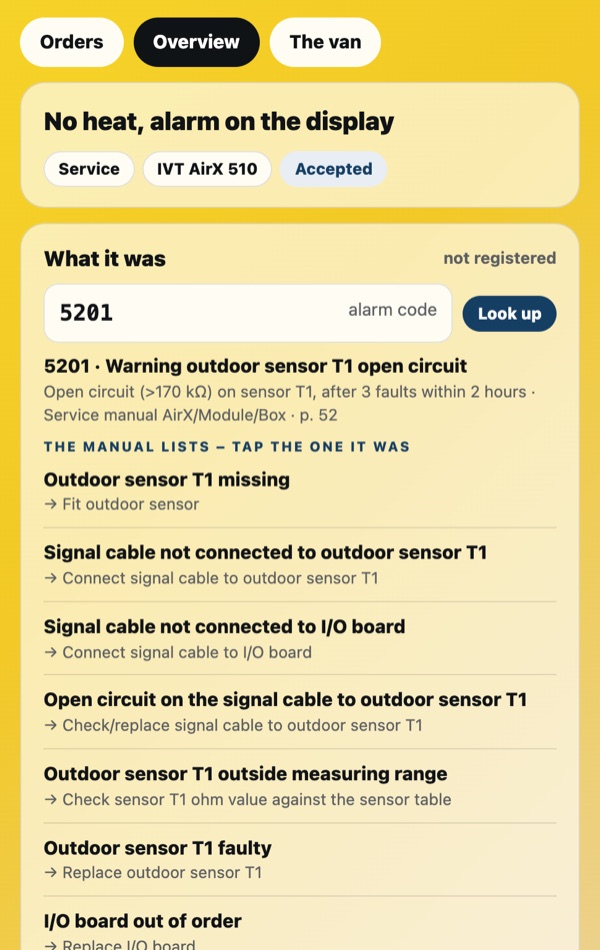
Type the code. The manual’s causes are listed, you tap the one it was, and the app remembers it for the next time.
Watch the spot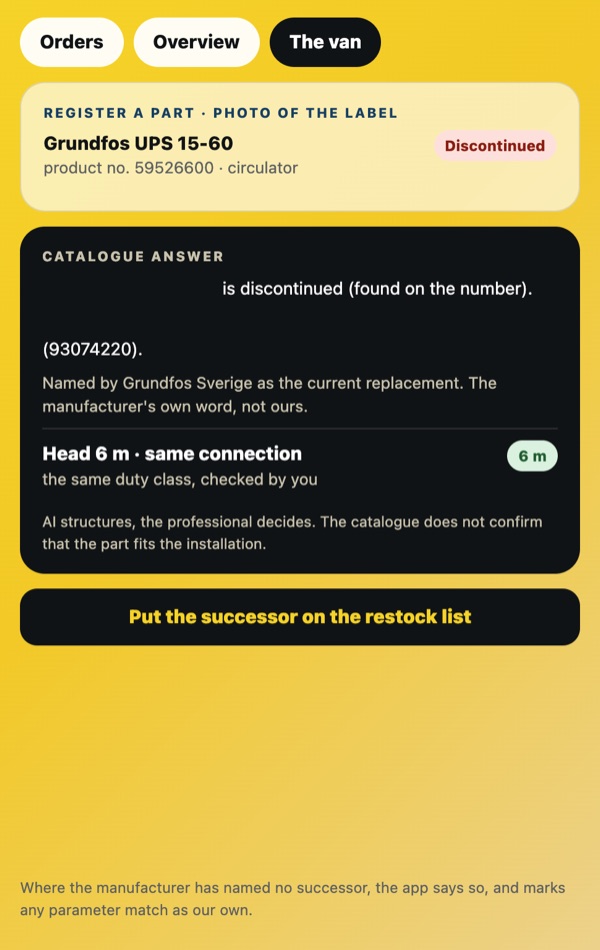
Photograph the label. If the part is discontinued, the catalogue shows the documented successor and where that is written.
Watch the spot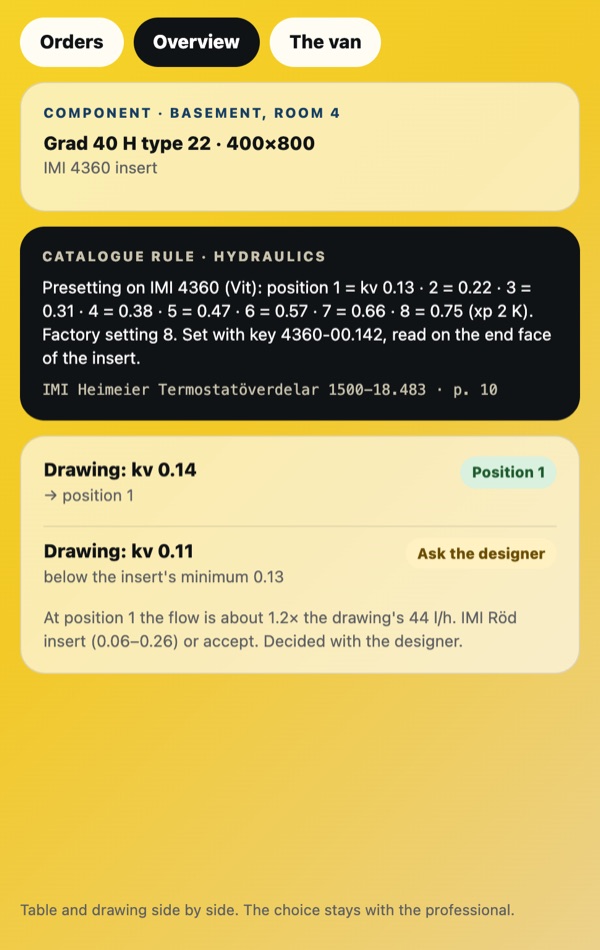
The manufacturer’s table and the drawing value side by side. Where the drawing asks for less than the insert can give, it says so: ask the designer.
Watch the spotReal examples
A reviewed Describe case waits under New order. Take the case: the customer’s text, the reviewed case, the photos and you as main technician, on one order. Nothing is assigned automatically.
The order comes in with the pick list. Five lines, two already taken from the van, shelf and box shown. The van count drops as you work.
The client’s files sit on the order. The replaced revision is marked, so the one you open on the phone is the one that applies.
Photograph the nameplate. The catalogue finds the model, its manual and the rules that apply: pre-charge, fuse size, page numbers.
Type the code. The manual’s causes are listed in order. You tap the one it was, and the next technician sees it.
Photograph the label. The catalogue says discontinued and shows the documented successor, with the source it was confirmed in.
Ask in your own words. The answer comes with the page it was taken from, so you check the manual, not the AI.
IMI 4360 table from the manual next to the drawing’s kv value. Where the drawing asks for less than the insert can give: ask the designer.
What it does not do
The manufacturer’s table and the drawing value are shown side by side. The manual’s causes are listed, not ranked by guess. A documented successor is a candidate until a professional verifies it. The decision stays with the person standing in front of the machine.